


Genera: AI Video Generator
4.2130.00 Reviews
App Specs
- Version
- 1.1.8_20260714
- Updated On
- License
- Free
- Downloads
- 500,000+
- Developer
- AMOBEAR TECHNOLOGY GROUP
- Categories
- Art & Design
- Platform
- Android
Screenshots
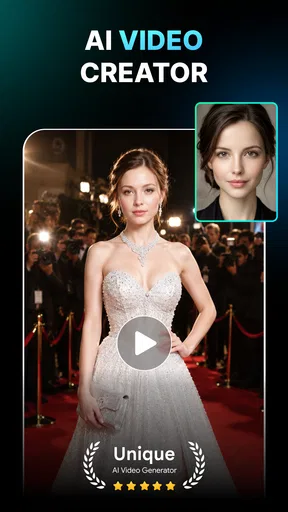
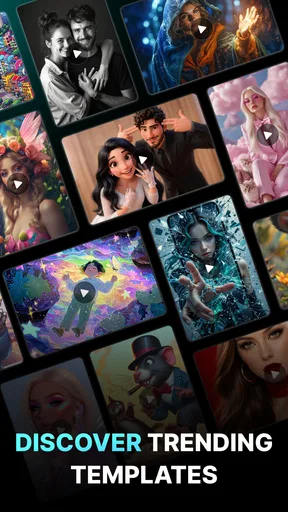
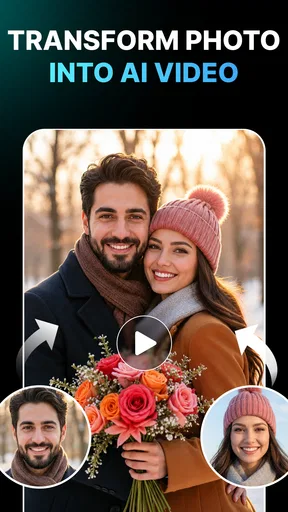
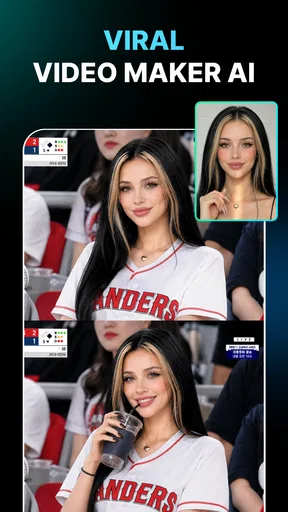
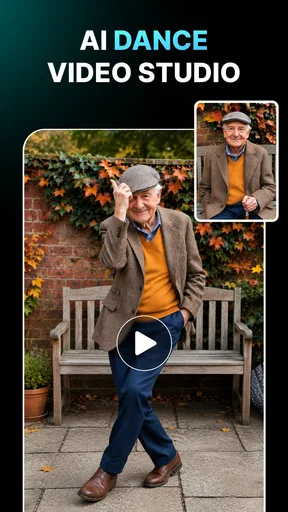
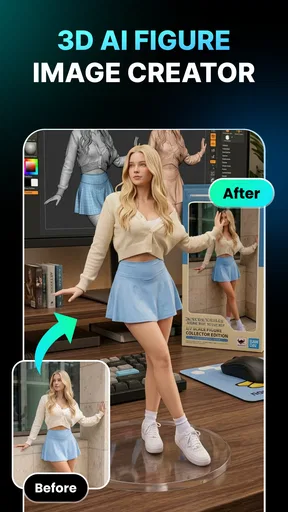
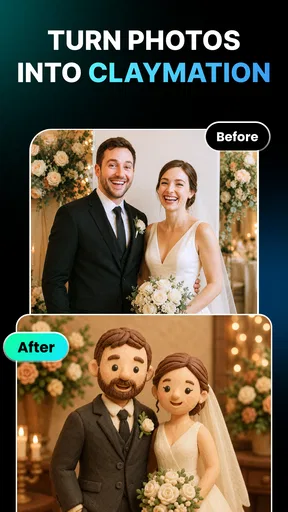
 Analysis by AppCompare
I judge a mobile video maker by what happens between having an idea and getting a usable clip: how much setup it demands, whether the creative choices feel manageable, and how well it fits a quick, everyday task. Genera: AI Video Generator is an AI-focused art and design app from AMOBEAR TECHNOLOGY GROUP, built around making visual content without requiring a traditional editing workflow. Its mix of video creation, face-focused effects and photo enhancement gives it a broader creative brief than a basic clip trimmer, although that breadth also means it is best approached with a specific goal in mind.
What to expect when you start
The first useful question is not whether AI can make a video instantly, but whether this kind of app can reduce the work between an idea and a shareable result. Genera is aimed at that shorter path. I would open it with a clear task—turn a portrait into an animated experiment, try a face effect, or improve a photo—rather than expect a full desktop-style editing suite. That distinction helps set realistic expectations: assisted creation can simplify choices, but it does not remove the need to choose suitable source material or decide whether the result actually fits what you had in mind.
Its appeal is clearest when I want to explore an effect without learning a complicated timeline. That makes it a plausible fit for casual social posts, playful edits for friends, or a quick visual idea that does not justify opening a more involved editor. For a polished campaign video, a carefully paced story, or precise control over every cut and audio cue, I would still reach for a conventional editor. The useful trade-off is convenience in exchange for less hands-on control.
Speed depends on the kind of creation
I would not treat “AI-powered” as a promise that every result will be immediate. A simple edit and a more demanding transformation are different jobs, and source-image quality, the chosen effect, and the phone’s available resources can all shape how smooth the process feels. A practical way to keep the experience moving is to start with a well-lit, clear photo or a short, purposeful clip instead of feeding the app material that needs extensive fixing before the effect can work well.
For a quick social idea, I would also decide on the destination before creating: a portrait-oriented post, a story, or a private message may call for different framing and pacing. That small bit of planning can prevent repeated attempts just to make a finished result fit its intended use. I would save experimentation for when I have time, and use a straightforward source image when I need something quickly.
Where heavier use can feel different
Repeatedly trying effects, switching between photo enhancement and video work, or comparing several versions can make a creative session feel more demanding than a single casual edit. The best habit is to test one direction first, then refine it only if the result is promising. This is more efficient than changing several ingredients at once, because it becomes easier to tell whether the source image or the selected treatment is responsible for an improvement.
AI effects also reward realistic expectations about input material. A clear face and uncluttered framing give a transformation less visual noise to contend with; busy backgrounds, shadows across the face, or a very small subject can make the outcome harder to judge. I would keep an untouched copy of an image before experimenting, especially if it is a photo I care about. That simple safeguard makes creative trial and error feel less risky.
Worth Reading Before You Choose

Flipboard Shows What News Apps Must Do Beyond the Feed

Switching to Android Auto Means Rethinking Your Driving Routine

Google Calendar Makes a Crowded Week Easier to Manage

Ludo King Makes the Most of the Minutes Between Plans

Baby Panda World Brings Quick Play to Modern Phones, but Its Game Library Feels Busy

ESPN’s Live Game View Makes Following Close Games Easier
Reliability and creative control
For any app that transforms personal images, I care about more than whether the first result looks entertaining. I want to know whether I can make a few considered attempts, recognize which version I prefer, and avoid turning one small task into a frustrating sequence of retries. Genera’s concept is strongest when I use it as an idea generator and judge each result for myself, rather than assuming the first AI pass will match my intent perfectly.
I would keep expectations modest around precise editing. This is not the same kind of workflow as manually adjusting every frame, balancing a full soundtrack, or building a detailed narrative from many clips. If a result needs exact timing or a consistent visual style across a batch of business content, a dedicated editor offers a more direct route. Genera makes more sense when the transformation itself is the point.
Device fit and practical limits
Genera is free to install, with in-app purchases listed from $5.99 to $59.99 per item, so I would explore the free experience before deciding whether any paid option is worth it for my routine. It is rated for Everyone, has an average rating of 4.1 from around 471 ratings, and has passed 100K+ installs. The app was released on March 30, 2026; version 1.0.9_20260518 requires Android 7.0 or later. Those details make it easier to judge basic compatibility and its general reception, but I would still check how it behaves on my own device before relying on it for an important deadline.
As with other image-heavy creative tools, I would avoid starting a long session when my phone is already struggling with limited free space or several demanding tasks running at once. Closing unused apps and keeping the original image accessible are sensible preparation, not guarantees of a particular rendering speed. If a creation takes longer than expected, I would give the current attempt time to finish before repeatedly tapping controls; rapid retries can make it harder to tell whether the app is processing or waiting for another action.
A useful everyday workflow
Imagine I have a clear portrait from a weekend gathering and want a lighthearted clip to share with the people in it. I would choose one photo where the face is well lit, try a single treatment, and check the result at the size and orientation where I plan to share it. If the effect distorts details or the framing feels awkward, I would change the source image before trying several different effects. That sequence saves effort and helps me make a fair comparison.
For a small business owner, the same approach works best for occasional experiments rather than an entire production pipeline. A quick visual can help test a playful idea, but brand work often depends on repeatable colors, exact text placement, and consistent output. I would use Genera to explore a concept, then move to a more controllable tool if the final asset needs those precise requirements. For personal memories, I would be more selective: an effect can be fun, but I would keep an unedited version too.
How it compares with familiar alternatives
Compared with a conventional mobile video editor, Genera’s main draw is the AI-led creative treatment rather than detailed manual assembly. Traditional editors tend to be the better choice when I want to control clip order, trim each moment precisely, shape a soundtrack, and keep a project consistent from start to finish. A simple photo editor is more appropriate when all I need is a crop, brightness adjustment, or straightforward retouch. Genera occupies a more playful middle ground for people who want a transformation or an assisted visual experiment.
That positioning is useful, but it also sets limits. Someone who already knows how to edit and wants fine control may find an AI-first workflow less satisfying than familiar timeline tools. Likewise, anyone who needs dependable, identical outputs for repeated professional work should test the results carefully before building a routine around them. I see the strongest case for Genera when creative speed and novelty matter more than meticulous control.
Who will get the most from it
I would recommend trying it if you enjoy experimenting with portraits and visual effects, want a low-barrier way to explore AI-assisted content, or make occasional social material without wanting to learn a complex editor. It is also a reasonable option for someone who likes having both photo-oriented and video-oriented creative ideas in one place, provided they are comfortable judging the output rather than expecting every attempt to be ready to publish.
I would skip it if your priority is frame-accurate editing, a predictable professional workflow, or a tool that gives you detailed control over every visual and audio decision. It may also be a poor fit if you dislike experimenting with source images or would rather make simple edits with conventional sliders. The best match is a curious user who values trying an effect; the weaker match is someone who needs a precise production instrument.
First Impressions
When I first downloaded Genera: AI Video Generator, I was pleasantly surprised by its sleek and user-friendly interface. You know how some apps make you feel like you need a degree just to navigate them? Not this one. Everything is laid out in a way that felt intuitive and easy to grasp, even for a newbie like me.
As soon as you open the app, it invites you to start creating. There’s no need to fumble around searching for options. The main screen has everything you need to dive right into making your first video. And believe me, the process is as easy as making your morning coffee.
Features That Stand Out
Now, let’s talk about the features. The app uses AI to do most of the heavy lifting, which is awesome because who’s got time to learn all those editing tricks? You can upload your clips, and the AI will automatically edit them into a coherent piece. It’s like having a professional editor that never sleeps.
One feature I absolutely love is the variety of templates. Whether you're going for a cinematic feel or something more casual, there’s something for every vibe. You just pick a template, and the AI does its magic. It’s almost like choosing the perfect filter for your Instagram photos, but for videos.
Another neat thing is the music library. You can add background scores that sync perfectly with your video transitions. It’s like having a DJ who knows exactly what you need. Plus, the tracks are royalty-free, so you don’t have to worry about copyright issues.
Getting Creative
Even though the AI does most of the work, there’s still room for creativity. You can tweak things like timing, transitions, and effects. It’s like adding your personal touch to a masterpiece. And if you’re feeling adventurous, there are advanced options to explore, but they’re not overwhelming.
The app also lets you share your creations directly to social media. So, once you’ve finished making that killer video, you can show it off to your friends with just a tap. It’s perfect for anyone who loves getting those likes and comments rolling in.
Who’s It For?
I’d say this app is perfect for anyone who wants to make professional-looking videos without the hassle. Whether you’re a content creator, a small business owner, or just someone who loves capturing memories, Genera: AI Video Generator has got you covered.
It’s particularly great for those who may not have a whole lot of experience with video editing but still want to create something that looks like it took hours to perfect. The app does all the hard work, and you get all the credit. Sounds like a win-win to me!
Final Thoughts
In a world where content is king, having an app like Genera: AI Video Generator is a game-changer. It eliminates the barriers to video creation, allowing anyone to produce high-quality content with ease. The AI-driven approach is both innovative and accessible, making video editing a breeze.
If you’re looking to up your video game without spending tons of time or money, give this app a shot. It’s like having a personal video production team at your fingertips. So, go ahead, download it, and let your creativity flow!
Pros
- Intuitive interface for easy navigation.
- Wide variety of video templates available.
- Fast rendering and processing times.
- High-quality output with minimal effort.
- Seamless social media sharing options.
Cons
- Limited customization for advanced users.
- Occasional glitches on older devices.
- Requires internet for most features.
- In-app purchases can be pricey.
- Some features locked behind subscription.
FAQs for Genera: AI Video Generator
What is Genera: AI Video Generator and how does it work?
Genera: AI Video Generator is an innovative app that allows users to create videos using artificial intelligence. By inputting text, images, or other media, the app generates high-quality videos with customizable features. It's a powerful tool for content creators who want to produce professional-looking videos quickly and efficiently.
Is Genera: AI Video Generator easy to use for beginners?
Yes, Genera: AI Video Generator is designed with user-friendliness in mind. Its intuitive interface guides beginners through the video creation process. With simple drag-and-drop functionality and straightforward controls, even those with no prior video editing experience can create impressive videos with ease.
What features does Genera: AI Video Generator offer?
The app offers a wide range of features including customizable templates, AI-driven video editing, and the ability to add music, text, and special effects. Users can also adjust video speed, transitions, and more to tailor their creations to specific needs. These features make it versatile for various types of video projects.
Are there any limitations or drawbacks to using Genera: AI Video Generator?
While Genera: AI Video Generator is powerful, it may require a stable internet connection for optimal performance due to its reliance on cloud-based AI processing. Additionally, some advanced features may be locked behind a premium subscription, which could be a consideration for budget-conscious users.
How secure is Genera: AI Video Generator with personal data?
Genera: AI Video Generator prioritizes user privacy and data security. It employs encryption and other security measures to protect user data. However, it is always advisable for users to review the app's privacy policy to understand how their data is managed and to ensure it aligns with their personal privacy preferences.


